
Remote Replica
The Remote Replica feature lets you duplicate your Fresh Start Desktop onto another server, typically in a different geographical location. Once configured, all modifications you make are seamlessly synced to the replica in the background – no manual intervention needed.
Remote Replica is a versatile tool with several practical applications; below, we highlight two key use cases.
Note: At present, Remote Replica is available exclusively for Fresh Start machines, though it also works with DaDesktop for work (DD4W).
First: Create a Remote Replica of your Desktop on a server in a separate data centre
As a safety net, you might set up a Remote Replica on a server in another data centre, just in case your primary server becomes inaccessible. If that happens, you can pick up right where you left off using the replica.
By default, our Fresh Start machine is located on the UK Data Center, e.g. bd3uk

Select the Data Centre for your Remote Replica – ideally one distinct from where your current machine resides. You can opt for a different data centre altogether, even one in another country Romania.

Your Remote Replica desktop is now being set up. The creation time depends on how geographically distant the replica is and the size of your Desktop. Meanwhile, you can keep working on your original machine.
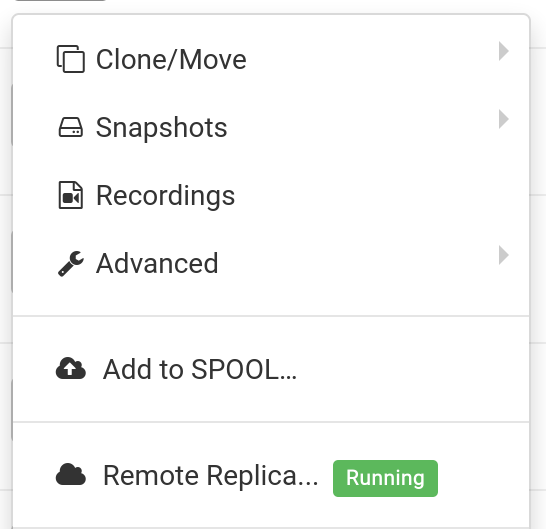

Restoring a Remote Replica
Should you ever lose access to your FreshStart Desktop, you can restore the Remote Replica you previously set up.


Once you start using the Remote Replica, you cannot revert to the original Desktop – but that's fine, since it's an identical clone.
Keep in mind that after switching, the Remote Replica process stops. To create a new replica, you'll need to go through the initial setup steps again.


Second scenario: Use Replica to reduce latency for FreshStart in a different region
Remote Replica proves invaluable when you're building course content and need a copy of your Fresh Start machine closer to your physical location. Imagine a trainer based in Germany delivering a course in South Africa – a scenario DaDesktop handles effortlessly.
You wouldn't want the course creation Fresh Start Desktop on a South African server, as that would introduce high latency. Instead, set up a Remote Replica in Europe to keep latency low; the replica will stay synchronised with your changes.
Once you've finished working on your Fresh Start Desktop, restore the Remote Replica onto the trainer machine in South Africa for quick distribution to both the trainer and participants.